Thursday, 18 April 2013

Simple Tricks To Find Anything On Your Computer Using Windows Search

Most of the articles I write on this blog are inspired by an action(s) I performed or tried to perform. Whenever any of them works, I immediately sell the idea to you by publishing it. This morning, I tried using the Windows built-in desktop search tool to search for some hidden files on my computer, but to my surprise none was coming up and I needed to do a total clean up on my computer hard disk. If you had faced this challenge before, I have discovered some working tricks to help you find just about anything on your computer using Windows search tool.
Windows Desktop search tips
By default, the Windows Desktop Search (WDS) does not predict your search queries in advance, however, it can help you find relevant documents, e-mails, programs and other files almost as fast as you can type characters in the search box.

Where can I find Windows Search on my Computer?

There are couple of places on your computer where you can find the Windows search tool, they include:
  1. The Windows Start Menu, 
  2. Windows Explorer (for shortcut press the Windows key + F button)
When using Option 1, it offers you hints as you type and can help narrow your search down to complex search queries with knowing the exact syntax.Option 2 on the other hand opens only a standalone search window where you perform a search but with no direct hint. So if you ask me, I thinkOption 1 is the most preferred.

Windows Desktop Search Tips and Tricks

Now let's go to the main thing! Using some keyword tricks or operators (the ones you will see below) on Windows Search tool, you can easily get some hidden files on your computer discovered within seconds. Let's see some real-world examples:

Search Trick #1: Finding documents that were created or modified "at Anytime"

By "at Anytime" I mean documents you created today, yesterday, last week, this week, this month, last month, last year or even long long time ago. Type the following in your Windows Search box to search files or documents:
  • ext:doc date:this week {for other file types, replace doc with xls, ppt, etc. }
  • date:13-09-2010..24-09-2010 {this operator helps find files added /modified in this date range}
  • kind:pictures date:>23-09-2010 {this operator helps you find all photographs that were captured after this day}
Search Trick #2: Finding Presentation Files (ppt) that contains a particular word

If you had at one time created a power-point file or a presentation, you can find these files easily with a designated keyword or operator if you know a particular word on the file.
  • ext:ppt marketing {this operator helps you search for the word “marketing” in file names as well the content of documents}The word "marketing" can be any word depending on what you are searching.
  • ext:ppt filename:marketing {this operator helps you search only file names, without you looking inside he content of documents}
Search Trick #3: Finding files that are taking lot of space on your computer.

This was the main thing that caused me to write this post. I love watching movies a lot (brilliant ones) which is why I copy movies most times to my computer. Most times I forget to delete the movies after a long time. Funny enough these video files are nothing below 600MB larger enough to occupy precious space on my hard disk. The trick or operator to use here is "gigantic" which goes for size and then "video" for file type or kind.
  • size:gigantic kind:video {this operator helps you find large video files like mp4, mov, wmv, avi, etc.}
  • size:>500MB {this operator helps you find all files that are larger than.5 GB}
  • size:500MB..800Mb {this operator helps you find files that are in this particular size range}
  • size:empty {this operator helps you find all the files that are 0 KB in size}

Search Trick #4: Finding files within a specific folder

You can equally run a search of specific folders using Windows Desktop Search. By default, WDS will help you find files across all folders that have been added to the search index. Most times, your search results can be cluttered due to this, to find the desired folders use the following word operator examples:
  • todo folder:documents {this operator helps you search your "My Documents" folders}
  • folder:desktop ext:pdf date:today {this operator helps you find PDF documents that you saved today}You can equally change "today" to yesterday, this month, last week etc.
  • adobe setup.ini folder:c:\program files {search a file in Adobe’s installation folders}
Before you go, you might want to read some of the Most Important Windows XP Shortcuts. So far, I hope these tricks were of help to you? Let me know how the search goes when you implement any of them in comments...

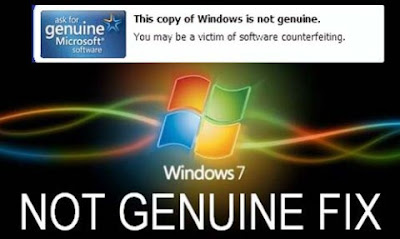
How To Fix “This Copy of Windows Is Not Genuine” Notification in Windows 7

Have you ever experienced the pop-up message “This Copy of Windows Is Not Genuine” which shows up once the copy of widows 7 you are running expires? Aside from the Windows OS expiring, another thing that causes this notification to show up is when you are running a pirated copy of the windows software.
Fix Windows Is Not Genuine
My neighbour had a piece of this experience this morning, when he saw this message on his computer. Being an occasional user, he knows little about the system. Lucky him I was still at home preparing for work when this happened, and so I helped him fixed it while he plan on how to get a genuine copy later.

What are the effects of not fixing this message?

There are couple of things which can happen to your computer when your Windows OS expires or reads not genuine, some of them which are:
  • Your wall paper will disappear, and you won’t be able to put any either, your desktop screen will just go black
  • Frequent and irritating 5 minutes pop up message reminding you that you are using a Windows OS that is not genuine
  • Your system if after 30 days you did not fix the issue will go critical
So how can I fix this?

Ordinarily, some folks will tell you that your computer needs to be formatted to be able to fix the problem (and you are charged heavily for that) while others will advice using some named softwares to resolve the problem. But in this post, I will be sharing with you two (2) simple steps I used to fix this problem for my friend.

To fix this problem with few minutes follow these instructions which I have divided into two (2) parts.
Note: You must complete the two parts to be able to get this problem fixed

PART I: Search and Uninstall Windows Update KB971033
PART II: Rearm Windows

Here are the procedures

PART I: Search and Uninstall Windows Update KB971033

Step 1: Go to "Control Panel" and click on Windows Update

Step 2: Look to the bottom left corner of the page and click on "Installed Updates" If the link isn’t there, hit “View Update History” and hit then “Installed Updates” link at the top.

Step 3: Scroll down to the section titled “Microsoft Windows” and look for update KB971033.

Step 4: Right click it and hit “uninstall”. Hit okay. (Note: There are many updates with KBxxxxxxxx, make sure you select KB971033)

Step 5: Restart your computer and head on to PART II

PART II: Rearm Windows

Step 1: Click the Start Menu and type COMMAND PR in the start menu search box.

Step 2: Right click COMMAND PROMPT and select RUN AS ADMINISTRATOR.

Step 3: In the command prompt window type:
slmgr.vbs -rearm
      
and press enter. (Note: There is a space between slmgr.vbs and -rearm, so make sure you type it with the space)

Step 4: Now reboot/restart your computer to see the problem fixed!

Be sure to turn off windows update or else you will face the same problem again. Alternatively, you can hide Windows Update: KB971033 in your windows update history.

The method I have provided in this post is 100% safe and guaranteed more than that of using a software. If you follow the step by step guide correctly, you should have the problem fixed.

What you should have in mind
There is however, one thing you should know, this post is not an encouragement to be using a pirated copy of Windows, it would be very nice you buy a genuine software that way you are guarantied.This post is only a temporary help to fix the problem while you work on getting a genuine copy of Windows OS.

Download GTBank Mobile Money App for BlackBerry, iPhone, Android and Nokia (JAVA Enabled Phones)

In the early hours of December, 2012, the Guaranty Trust Bank Plc popularly known as GTBank  launched its Mobile Money App for Android and iPhone devices leaving Blackberry and Nokia behind with the plans of launching them later. Today, I am happy to announce to you that the GTbank Mobile Money App for the four (4) devices are now available for download on Google Play, iTunes Store, BlackBerry App World and Nokia Ovi Store respectively.
GTBank Mobile Money App
GTBank Mobile Money is a convenient, secure and affordable way to send money to friends and family from your mobile phone. With Mobile money, you can transfer funds to any recipient in Nigeria and also pay for goods and services with your mobile phones.

The app allows you to send money from your mobile phone to another mobile phone or bank account, while on the go, and the most important part of it is that you don’t need to have a GTBank account to use the app.

However, if you are already a customer with GTBank, you can link your GTBank account to the app, by visiting any GTBank branch and filling a request form to that effect.

Services Available on the GTBank Mobile Money App
How to Register

You can access this service in 2 simple ways either by:

1. Downloading the GTBank Mobile Money application to your Smartphone:

Download Mobile Money for Apple

Download Mobile Money for Android

Download Mobile Money for BlackBerry OS5, OS6 and OS7

Download Mobile Money for Nokia or JAVA enabled phones

Download Mobile Money for Nokia (Full Touch)

2. Obtaining a SIM with the Mobile Money SIM Tool Kit already installed (Only Etisalat SIMs comes with this menu for now).

To Register

Step 1: Download the application on your internet enabled phone.

Step 2: Click on Sign Up and provide answers to the questions asked. i.e. First Name, Last Name and Date of Birth.

Step 3: Answer each question as accurate as possible because anytime you forget your account PIN, these questions will be used to authenticate you before granting access to select another PIN.
After you  have responded to these questions, you will receive a text message containing your activation  token ( 6 digits)  e.g. 552256

Step 4: Proceed by clicking on activate on the home screen to activate your account.

For Etisalat SIMs
  • Go to your SIM menu
  • Select Mobile Money and then GTBank
  • Select My Account
  • Select Register and provide answers to the questions asked. i.e. First Name, Last Name and Date of Birth.
Again, answer each question as accurate as possible and proceed by selecting activate

To Activate

Step 1: Go to the GTMobile Money app and click on activate.

Step 2: Enter your activation token (6 digits) e.g. 552256

Step 3: Choose a four digit account PIN e.g. 4357; Repeat the PIN to confirm that you entered it correctly the first time.
You will receive a welcome text message from GTBank. Your MobileMoney account is ready for use.

That's it! If you wish to learn more about Mobile Money Banking at GTBank feel free to visit http://www.gtbank.com/personalbanking/ways-to-bank/mobile-money

What Next?

I will be writing more posts that covers the following:
  • How to Deposit Money on GTBank Mobile Money App
  • How to Send Money on GTBank Mobile Money App
  • How to Withdraw on GTBank Mobile Money App
  • How to Change your Pin
To be certain you don't miss out in any of the above, subscribe to my latest blog email updates for FREE and the updates will be sent directly to your inbox. To subscribe, click on the link above or use the email subscription box below this post.

Cheers!

Blogger Buzz: Improvements to the Blogger template HTML editor

Blogger Buzz: Improvements to the Blogger template HTML editor

BlueVoda Website

BlueVoda Version 12.2
Download
Description: BlueVoda is our in-house Drag & Drop website
builder that enables a user with little or no experience to
build a fantastic website. No HTML or coding knowledge is
required. With BlueVoda you can create everything from a
simple homepage to beautiful multi-page website. Included
are pre-designed website templates, 'One Click Publishing',
an image library where you will be able to download
hundreds of free logos, templates, webpage backgrounds
and website headers. BlueVoda also provides a built-in
help system, a community forum as well as step-by-step
video tutorials that will have you designing your new web
site in record time. BlueVoda is the only website builder you
will ever need. Save BlueVoda to your computers desktop
and install it directly over any previous versions. Please
reboot your computer before launching BlueVoda. After
you download BlueVoda, please click on the link below to
learn how to get started. http://www.vodahost.com/
vodatalk/showthread.php?t=665 Happy Website Building!
Modified: 14 Nov 2011 09:42 AM Total Downloads:
223880
BlueVoda User Manual
Download
Description: User manual for the BlueVoda Website
Builder.
Modified: 14 Nov 2011 09:45 AM Total Downloads: 1279
Pix resizer
Download
Description: PIX resizer is a photo resizing program to
easily create web and e-mail friendly versions of your
images with reduced file sizes. Using PIX resizer will
increase the quality of your images by as much as 82% as
well as making them download super fast.
Modified: 08 Oct 2005 09:12 PM Total Downloads:
172451
WinZip
Download
Description: Zip files are single files, sometimes called
"archives", that contain one or more compressed files. Zip
files make it easy to keep related files together and make
transporting, e-mailing, downloading and storing data and
software faster and more efficient. The Zip format is the
most popular compression format used in the Windows
environment, and WinZip is the most popular compression
utility.
Modified: 08 Oct 2005 09:29 PM Total Downloads: 29743
Offline Order Form
Download
Description: Click the download link below to download
our "offline order form". By using our "offline order form",
You agree to adhere to our terms of service "TOS" which
can be found here >>> http://www.vodahost.com/tos.htm
Please Note: Our offline order form is in PDF format. You
will need Adobe Acrobat Reader installed on your
computer in order to view it. If you do not have Acrobat
Reader installed on your computer, please click the link
below to install it before you download the order form.
http://www.adobe.com/products/acrobat/readstep2.html
Thank you for selecting VodaHost.
Size: 41.30 KB Modified: 29 Sep 2008 03:13 PM Total
Downloads: 42204
Spybot - Search & Destroy Spyware Remover
Download
Description: Spybot - Search & Destroy can detect and
remove a multitude of adware files and modules from your
computer. Spybot also can clean program and Web-usage
tracks from your system, which is especially useful if you
share your computer. Modules chosen for removal can be
sent directly to the included file shredder, ensuring complete
elimination from your system. For advanced users, it allows
you to fix Registry inconsistencies related to adware and to
malicious program installations. The handy online-update
feature ensures that Spybot always has the most current
and complete listings of adware, dialers, and other
uninvited system residents.
Modified: 10 Oct 2005 04:07 AM Total Downloads: 21785
ROR Site Mapper
Download
Description: ROR Sitemap Generator will crawl your Web
site and automatically generate a ROR Sitemap. ROR is a
rapidly growing XML format, flexible and complete for
describing Web site content (sitemaps, products, services,
menus, images, reviews, contact info, business info), so
search engines like Google can better understand its
information.
Modified: 03 Jan 2006 03:06 PM Total Downloads: 17458
JAlbum 7.3.1
Download
Description: This software allows you to create nice-looking
photo galleries for the Web. You simply select or drag and
drop folders containing images or movie files onto
JAlbum, and it creates thumbnails and HTML pages to
publish your images as a gallery or as a picture slide show.
The galleries are based on various templates, and their
appearance can be further customized by advanced users.
The application's additional features include support for
IPTC/EXIF data, style sheets, lossless image manipulation,
pluggable image filters, and a built-in FTP/SFTP client.
Version 6.4 improved handling of movie files, features
faster and more memory conservative comment editing
section; fixed image ordering bug; added various
improvements to the Edit section, some other
enhancements.
Modified: 29 Nov 2007 05:15 PM Total Downloads:
19866
Rapid SSL Seal
Download
Description: Secure your webserver with a SSL Certificate
from RapidSSL. Highly trusted fully encrypted SSL
Certificates. Click the below to learn more. http://
www.vodahost.com/ssl.htm
Size: 6.87 KB Modified: 27 Jul 2007 02:24 PM Total
Downloads: 6174
CCleaner
Download
Description: CCleaner is a freeware system optimization
and privacy tool. It removes unused files from your system
- allowing Windows to run faster and freeing up valuable
hard disk space. It also cleans traces of your online
activities such as your Internet history. But the best part is
that it's fast (normally taking less than a second to run) and
contains NO Spyware or Adware! :)
Modified: 18 Dec 2007 06:04 PM Total Downloads: 23742